
TRACDsolutions’™ Key Benefits
Aviation Software that takes the hassle out of CBT flight training
Our aviation software integrates flight school training management requirements into one digital cloud based solution.
Core Aviation Software Features
Digital Lessons & Records
Digital Lessons and Student Records with data entered via iPad/iPhone app and computer, backed-up to our servers but available to be printed or downloaded if desired.
Track Performance Criteria and Under Pinning Knowledge
Completely Paperless
Manage courses and student records completely digitally.
User Customisation
Customise just about everything for free as a user.
Standardisation
Training Trends
See trends in training. How many students struggle to achieve a particular PC on time? How many are competent at the first assessment. Meets the audit and improvement requirements of 141.260(mb) and 142.255(c) requirements.
Additional Smart Benefits
Companion App
Free iPad/iPhone app for instructors. Use lesson plans and records on your apple device. Note: Android users can access via the web interface.
Modify Lessons on the fly
Modify lesson plans on the fly to digitally import PC/UPKs that were not covered (or assessed as not competent) in previous lessons. Records adjust accordingly.
Use App Offline
Use the companion app to mark lesson records while you’re offline.
Student Login
Students can view their next lesson, access their directed study notes, view their assigned solo lessons.
Student Exams
Student Study Guide
Lesson Plans
Lesson plans with expanded notes detailing techniques, knowledge, procedures and standards required.
Diagrams
High quality diagrams to aid teaching. Add your own as well.
Syllabus items
Easy to use
Personalise
Records
Unique records correspond to every Learning Event. No “generic” record sheets.



TRACDsolutions’™ Aviation Software in Detail
The Complete Solution
TRACDsolutions is the complete solution for your Part 61 training and assessment needs. You have full control over the matrix of learning events, performance criteria and underpinning knowledge items (and if needed all of the aeronautical knowledge items too!!).
Move, add or remove learning events. Set the course up how you would like.
TRACDsolutions automatically creates the course overview and summary, and transforms all the learning events into digital lesson plans that double as training records.
Using the student module, instructors can easily teach and fill out training records from any device using the free TRACDsolutions companion app. Instructors can personalise lessons on the go and the special “not-done” feature tracks every performance criteria, so instructors never forget an item.
At the end of the course, TRACDsolutions compiles a completion report for the HOO to easily review and sign off, automatically creating a course completion certificate.
Your course is preserved in the secure TRACDsolutions cloud system and when you need to update your course it is there waiting for you. You can create the next version and update your training to make it more efficient or to meet the auditing and improvement requirements of CASA Part 142.255 (c) and 142.265 (1)(b) or CASR Part 141.260 (mb).
Select the items below to read more about the key features of TRACDsolutions
Matrix
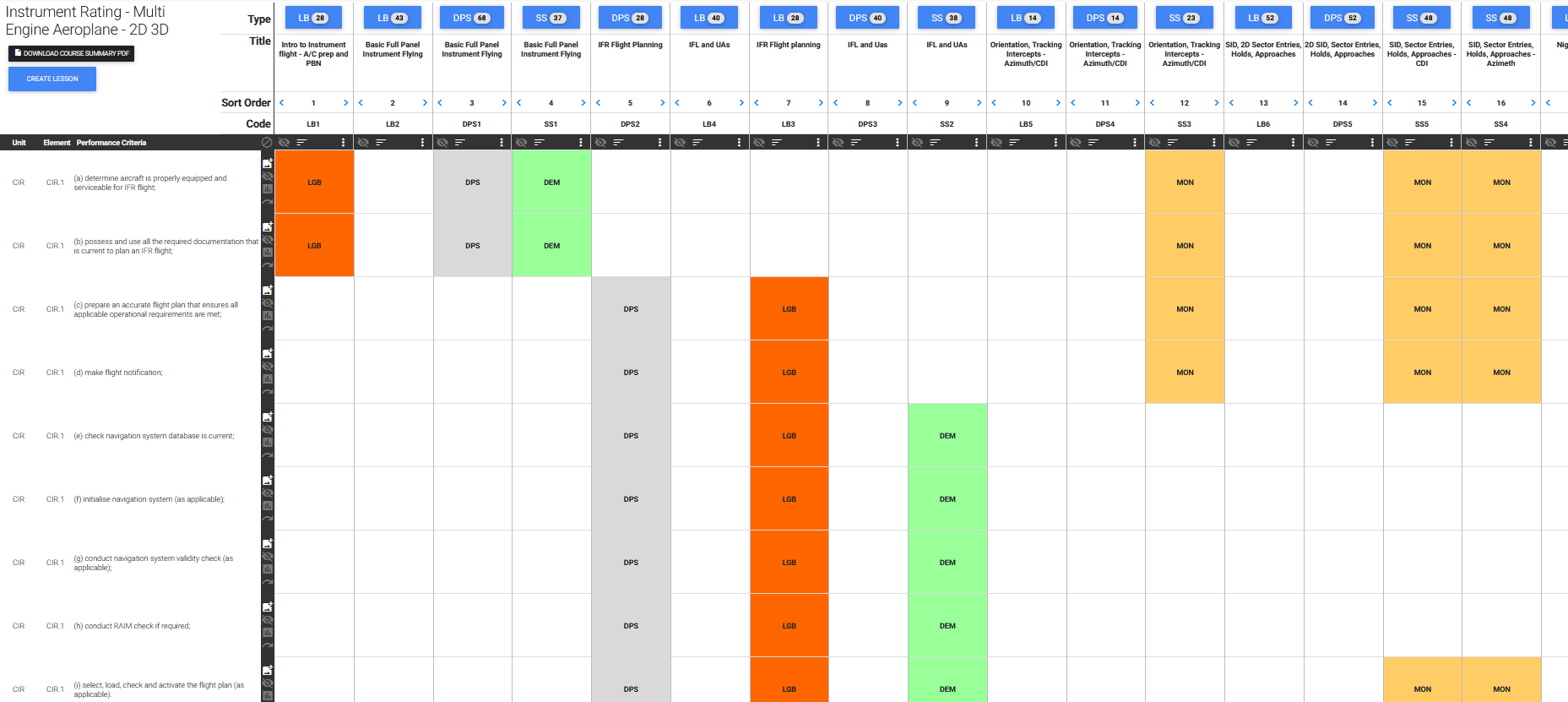
The matrix is like a big Excel spreadsheet – learning events across the top and performance criteria, underpinning knowledge and if required, aeronautical knowledge items down the left-hand side.
The matrix helps you to see your course layout and how and when each PC, UPK or AK items are to be taught, demonstrated, monitored and assessed. You have full control over the matrix.
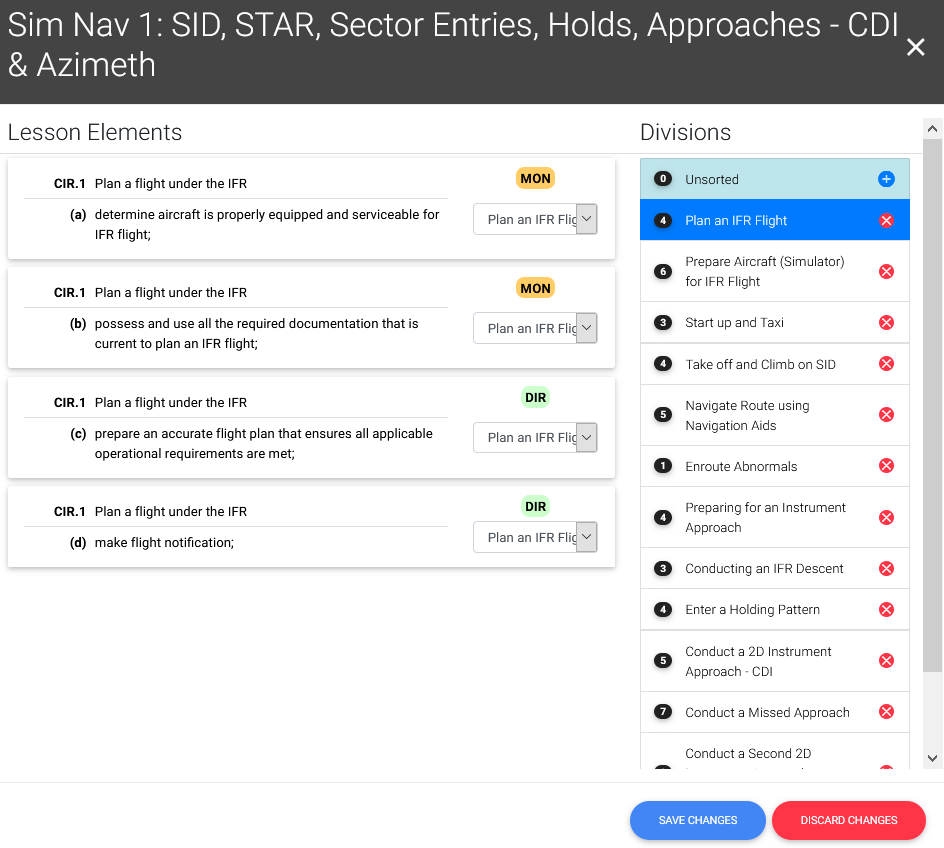
- You can easily move, add or remove learning events.
- You can move, add or remove a PC, UPK and AK from any learning event.
- You can change the context type for a PC/UPK/AK within a learning event – e.g. change it from monitoring (MON) to scenario (SCS) or to formal review of progress (FRP1).
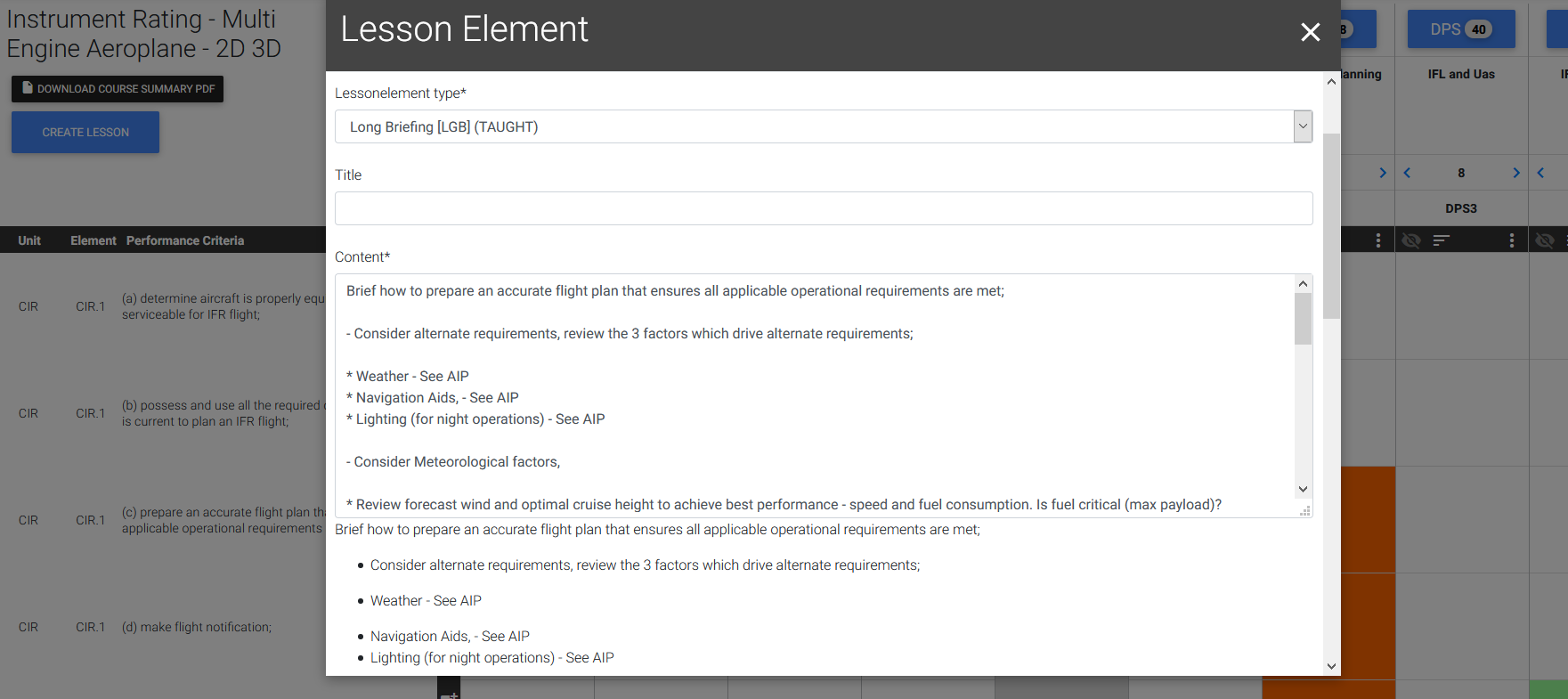
- You can select an item to edit and customise the teaching notes. Simply add your particular technique, specific airspeed, configurations or any unique background information that you want taught at that point.
All of the lesson plans and record sheets will automatically match up. (click on image to enlarge)
Customisable
You are in control.
- Need a new Learning Event – just add it in.
- Do you use a different technique to teach a particular item – just change the text.
- Want to use your current teaching diagrams – delete the standard diagram and add your own.
- Want to include more monitoring or revision aspects in your course – just add them to the Matrix.
- Want to change the length of a Learning Event – change the times.
- Want to add your specific navigation routes – simply include the information in the Learning Event Summary.
- Want to change the teaching sequence within a Learning Event – simply re-sequence it.
TRACDsolutions is flexible so it can adapt to your needs.
Detailed Lesson Plans
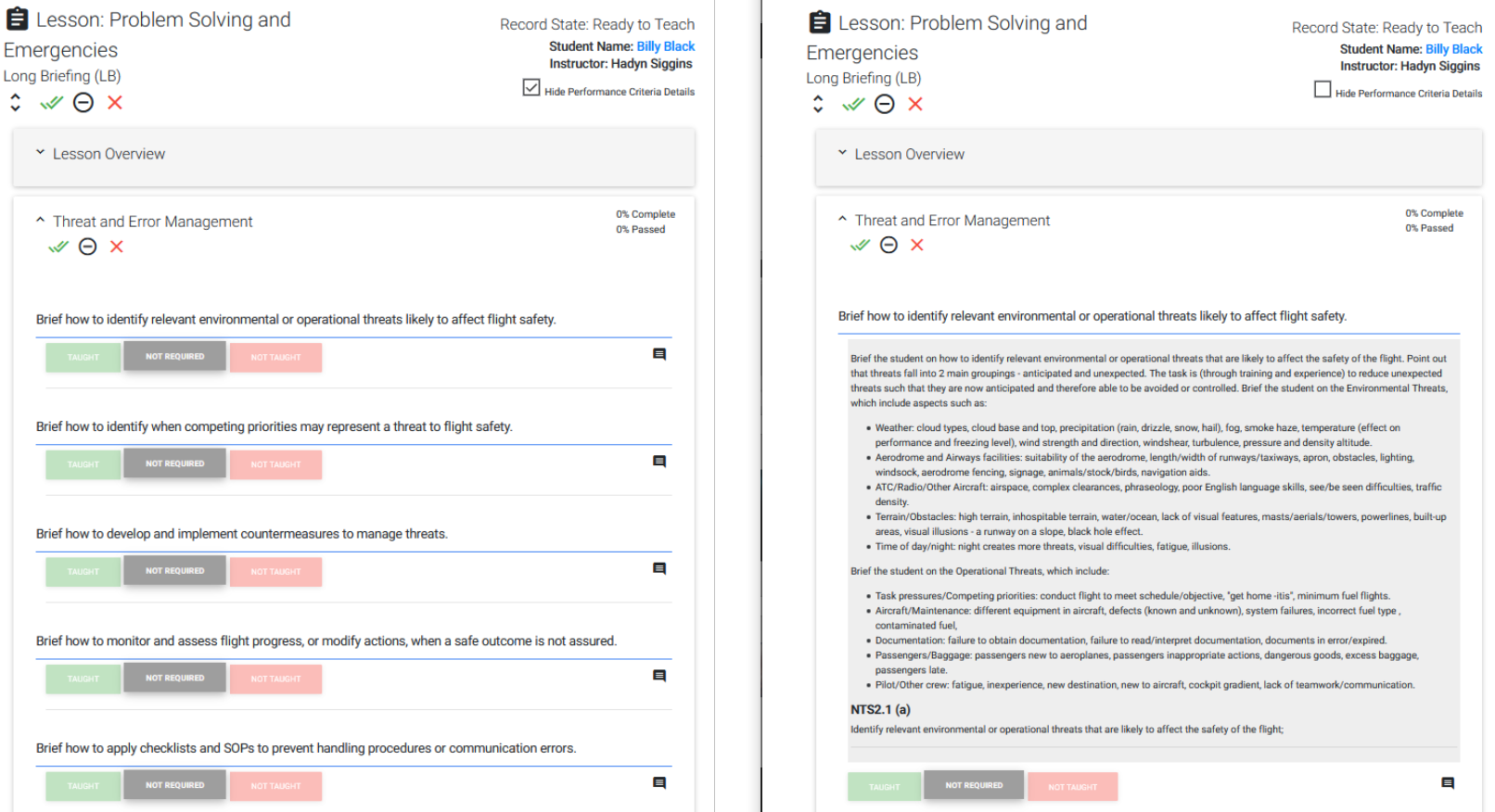
The content in each Learning Event will be generated into a Detailed Lesson Plan. The teaching notes for each PC, UPK and AK are placed into your Detailed Lesson Plan. This provides your training staff with all they need to be able to brief, teach, demonstrate, monitor, create scenarios, review and assess each PC, UPK and AK. This includes all the instructions, guidance, techniques and information that you want them to have.
When teaching ground based lessons, any teaching diagrams associated with that learning event are included in the correct sequence.
You don’t need to worry about how you will achieve standardisation across your training staff as they will all have access to the same complete description of:
- What to teach (the PC, UPK and AK).
- When to brief, demonstrate, monitor and assess each PC, UPK and AK.
- What the specific technique is, including specific details of speeds and configuration, work cycle, etc.
- How to recognise the acceptable standard.
PDFs can be downloaded for provision to CASA for approval (or as a hard copy back up), but normally the lesson plans are accessed digitally online or via the free iPad/iPhone app. This method offers abbreviated (one line) text for each teaching item that can be expanded at the click of a button to see the completed teaching notes if required.
(click on image to enlarge)
Standardise Teaching Notes
Within every great training course, each item the student either needs to be competent in (PC) or is required to know (UPK or AK) should be provided to the instructor. Appropriate guidance, technique and background information should also be made available to the instructor to enable them to teach, demonstrate, monitor or assess effectively.
This ensures a high level of standardisation across training staff as all of the required knowledge, techniques and assessment standards are clearly detailed. It also provides the student with a great degree of certainty about what they must be capable of doing or knowing.
TRACDsolutions provides all of this background material, techniques and explanations and describes it in the appropriate context – for a briefing, demonstration, monitoring situation, assessment and so on. The particular PC, UPK and AK is presented in the context it will be used. This produces a practical document that can be used to provide clear training guidance and focus the learning outcomes. As usual, you should review these techniques and information, modifying them where desired, to ensure this is how you want your instructors or check pilots to teach and assess.
How would you give a long briefing on the Performance Criteria from NAV1 (a) “Select and prepare appropriate navigation charts for the intended flight;”? What would you include? Select chart – would you review the types of charts used in aviation? Would you review their relative benefits and limitations? Would you look at their legends and how topography is depicted? Prepare chart – would you show how to draw tracks? Add 10 mile, 10 minute or proportial distance marker? Drift lines? Off track features? How to fold the chart for the cockpit?
The big question is, “What do you want your instructors to teach?” The teaching notes allow you to specify exactly what you want and how you want to teach it.
What about a demonstration of a recovery from an unusual recovery (nose high)? What technique is appropriate? How do you want instructors to assess the standard for this PC?
Teaching notes provide the solution and allow you to control what is taught, the technique, how it is monitored and how it is assessed. This is standardization.
Teaching Diagrams
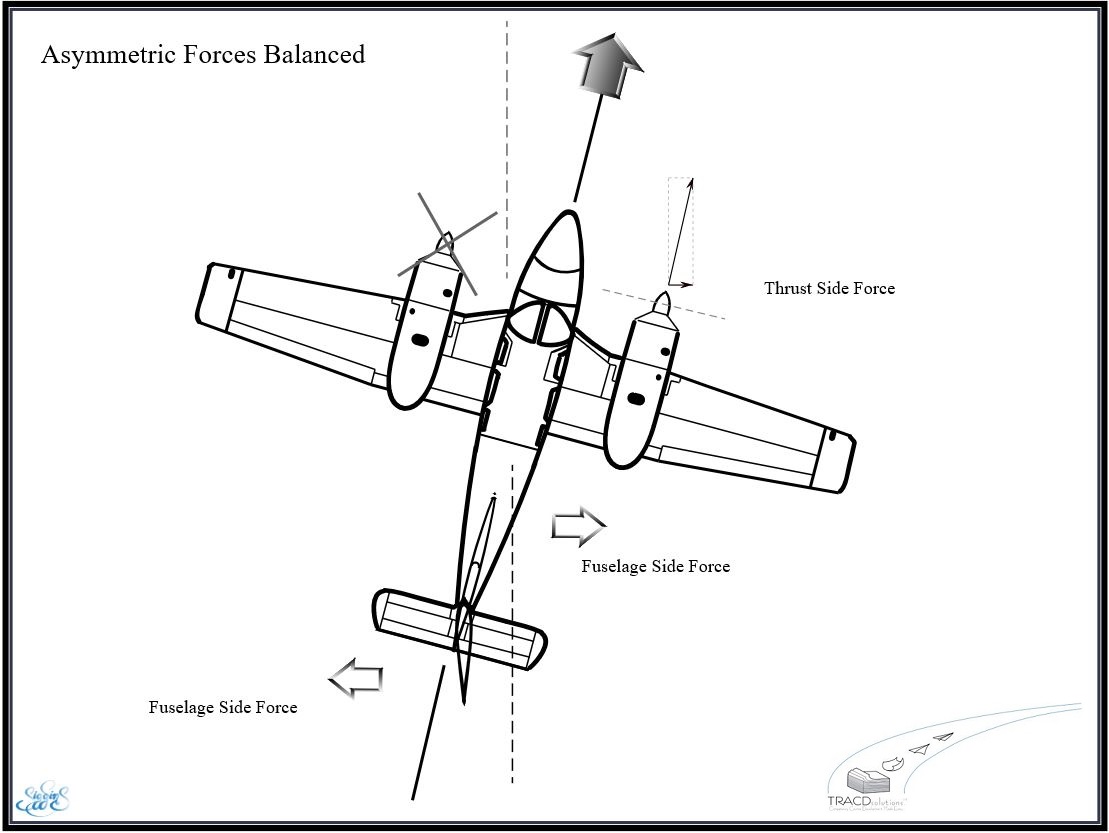
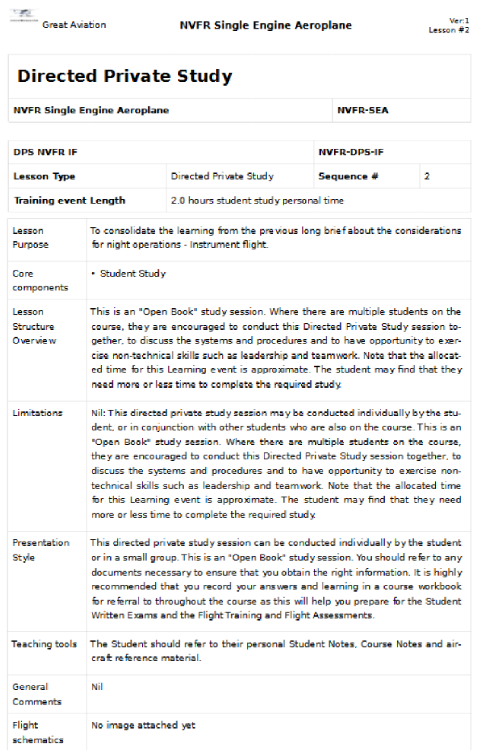
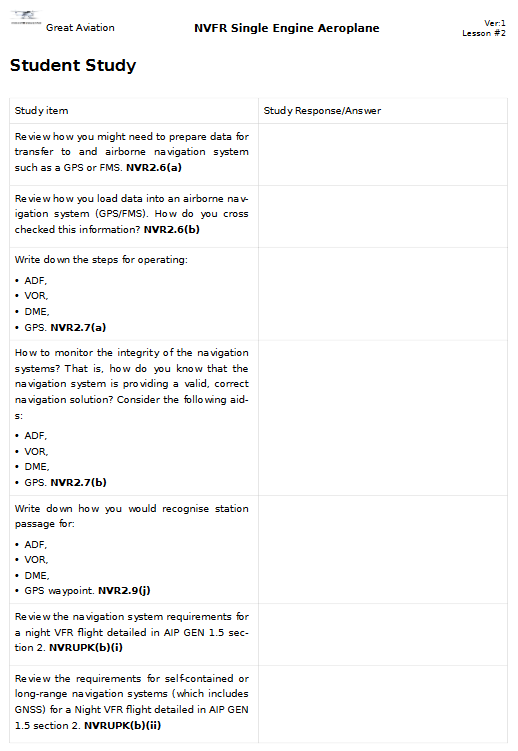
TRACDsolutions provides a number of high-quality teaching diagrams created by a graphic artist. These are automatically included with the relevant PC/UPK. You can also add your own diagrams that you want your Instructors to use. The diagrams are shown in the Lesson Plans for instructors to refer to, and are also available to students in their Directed Private Study notes. You will have control over the teaching material and will be able to gather together all the great material that you and your staff use and keep it in one place for everyone to have direct access to. (click on image to enlarge)
Course Documents for CASA
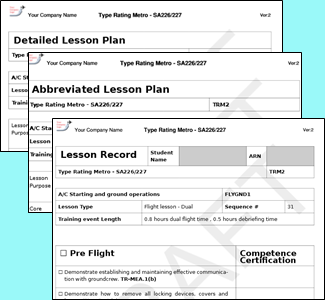
When you have completed personalising the course, you can finalise the course. TRACDsolutions preserves the course at your current version number and allows you to download the full course documentation for submission to CASA for approval and subsequent use by your training organisation. You will have no more worries about fixing up page numbering or formatting on your training material, because TRACDsolutions handles it for you. Think of the time that this alone will save you. For your CASA submission, you will be provided with PDF versions of the:
- Course overview/summary for the course which provides overall information on the course including times and details for each Learning Event.
- Detailed Lesson plans,
- Abbreviated Lesson plans, as well as all of the
- Record sheets which are shaped for each lesson and reflect what was required to be taught – not just a generic record sheet.
Every piece of documentation is branded with your company logo and company name. (click on image to enlarge)
Record Sheets
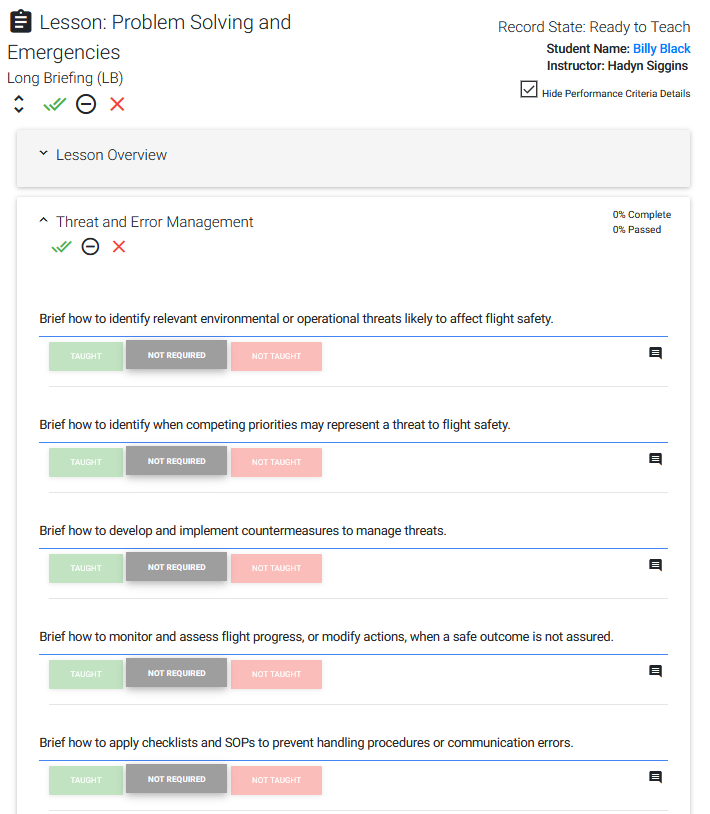
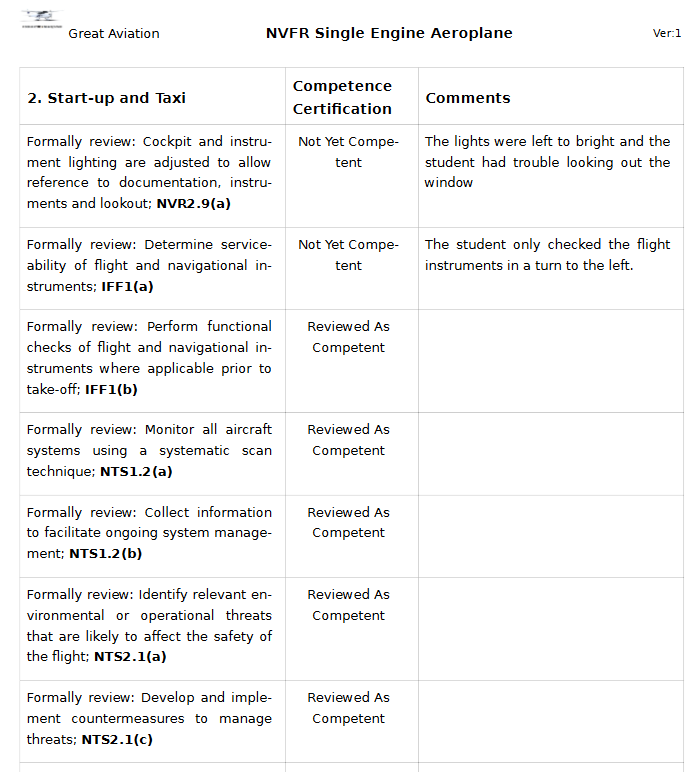
Where a competence is simply being introduced, briefed, demonstrated or monitored, the record sheet allows for acknowledgement that this training was done with the click of a button. Comments can be recorded against each item or against a group of items.
Where a competence is being formally reviewed or assessed, the training pilot can clearly certify that the item was reviewed to an adequate standard or assessed to the required standard (or not!) with a click. There is opportunity to record comments individually or against groups of competencies.
TRACDsolutions will automatically move any incomplete or not competent training items into the “Competencies Not Taught / Assessed” box. In the next appropriate lesson, instructors can easily select any of these items to add to the lesson. You never have to fear these items being lost or forgotten.
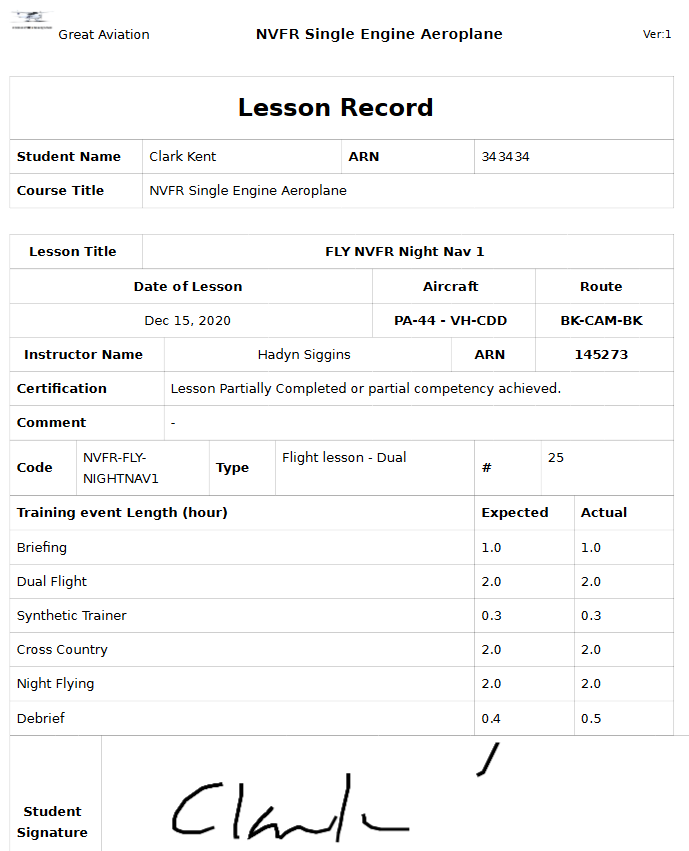
At the end of the lesson record, instructors can select from the drop-down lists or type in a text box to record details of the lesson (fly time, aircraft, et cetera) and make any additional overall comments. The instructor digitally certifies the record is complete by finalising the record, and, when using the companion app, students can finger-sign the record.
(click on image to enlarge)
Continuous Improvement
Don’t fear course amendment time! Making changes to your courses is a breeze with TRACDsolutions. With TRACDsolutions easy version control, you can update your course to improve efficiency, to respond to student learning progress and to provide continuous improvement. If you are a Part 141 organisation then you must meet the requirement of CASR 141.260(mb).
You must identify and address deficiencies in training outcomes, audit the training; promote the continual improvement of the training; evaluate the training outcomes from pre-flight test assessments and post-flight test feedback from flight examiners; and make changes to your training course.
If you are a Part 142 operator you must meet the requirements of CASR 142.255(c) and CASR 142.265(1)(b).
You must in a planned and systematic manner, identify and address deficiencies in training outcomes.
With TRACDsolutions you will be able to update your course as often as you need based on your experience in your training and you will be able to meet this requirement of CASA to identify deficiencies and promote continual improvement of your training courses.
Additionally, in the next phase of TRACDsolutions, the optional Student Module (a fully digital training solution and record keeping process) will also automatically provide you with data about individual students, or groups of students on the same course, and their progress (or lack of progress!) that will allow you to consider effective changes to your course structure. This will dramatically improve your ability to achieve continual improvement in your training. We can show you that, for example, 30% of your students do not meet the standard of a particular Performance Criteria at the Formal Review. On the basis of that, you could review your training and briefing guidance notes, modify your documented flight techniques, add additional teaching diagrams, choose to add more solo practice, choose to add more monitoring of that item or move the assessment to a little further along in the course. We might even recommend to CASA on your behalf that this particular performance criteria needs re-writing (some of them are a bit off!).
Student Directed Study
Student Written Exams
Student Solo Practice
No need to worry that your junior instructors aren’t providing clear guidance to students for their solo practice. Guidance notes are provided through the TRACDsolutions student login for student solo practice to detail what they need to do and you can easily amend these notes to meet your needs, adding specific local procedures and navigation routes. The notes remind students of the technique that they need to practice and provide pointers for achieving the most from their solo practice. After the flight, the notes allow for student reflection on their session to consolidate their learning experience.